Is it free?
Reading your notes is free. Asking Recolo a question across everything uses your Recolo credits, exactly as it does in the app.
Connect Recolo
Sign in once and Claude, ChatGPT or any MCP client can read your Recolo brain: your recordings, summaries, transcripts and the people and topics in them. Read only, always.
Connector URL
https://mcp.recolomind.ai/mcpSet it up
The steps take a minute. You sign in on a Recolo page that names the app asking and lists what it can read, and nothing is shared until you allow it.
Web, desktop and mobile.
Open Claude's settings and choose Customize.
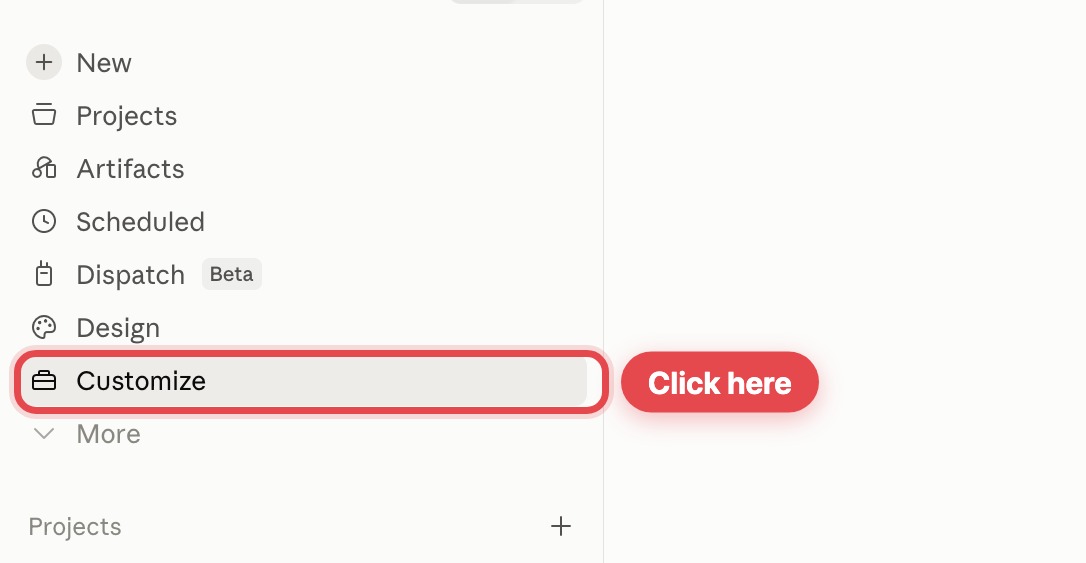 Screenshot 1The Customize item in Claude's sidebar
Open the Connectors tab, then choose Add.
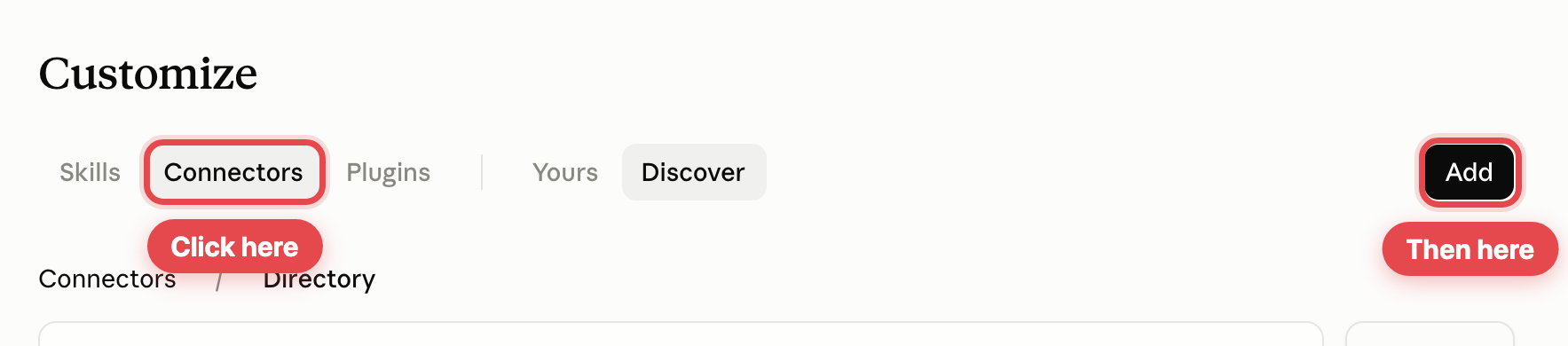 Screenshot 2The Connectors tab and the Add button in Claude
Name it RecoloMind, paste the connector URL, then choose Continue.
https://mcp.recolomind.ai/mcp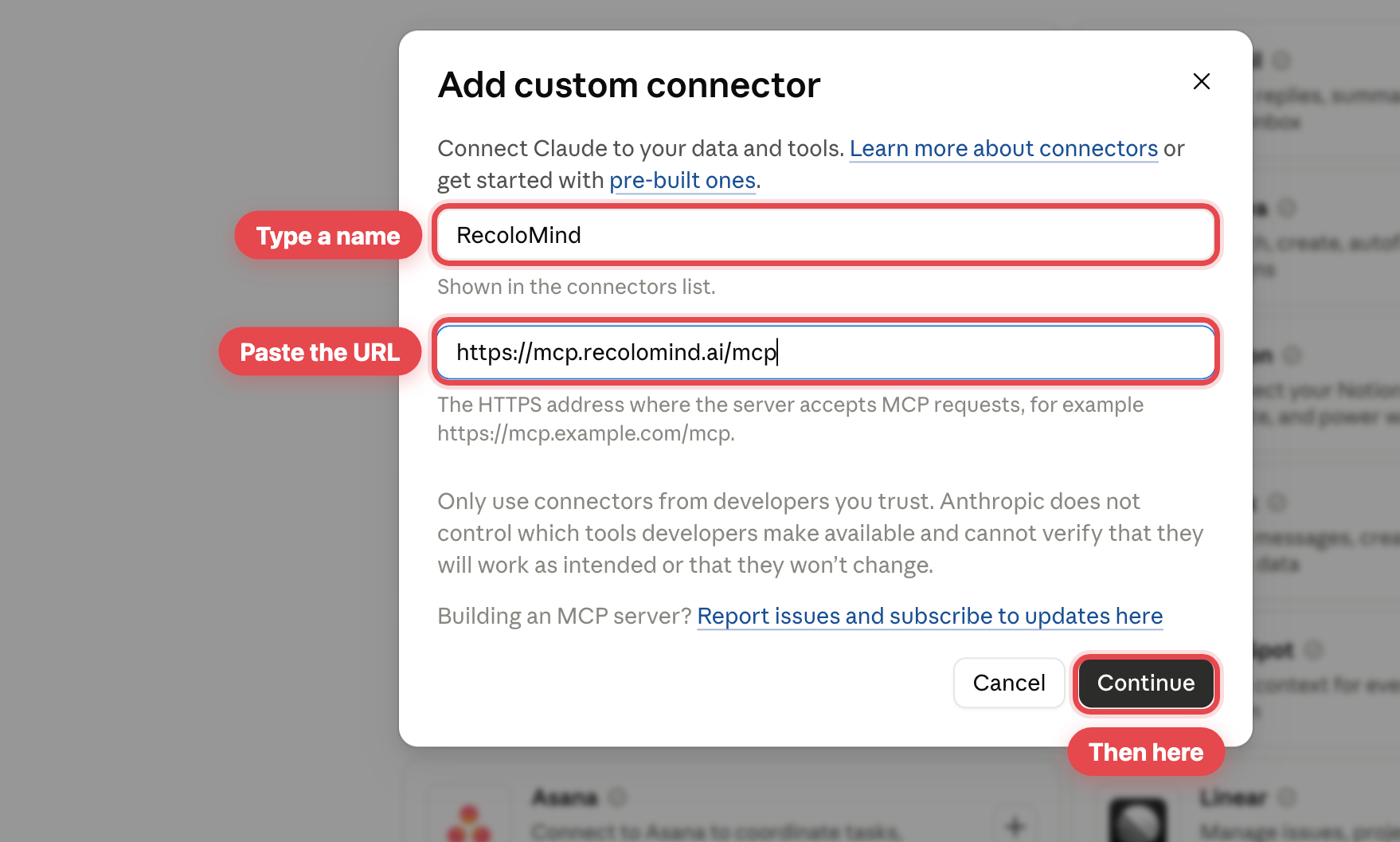 Screenshot 3The custom connector dialog with the name and URL filled in
Claude detects how to sign in. Leave both choices as they are and choose Add.
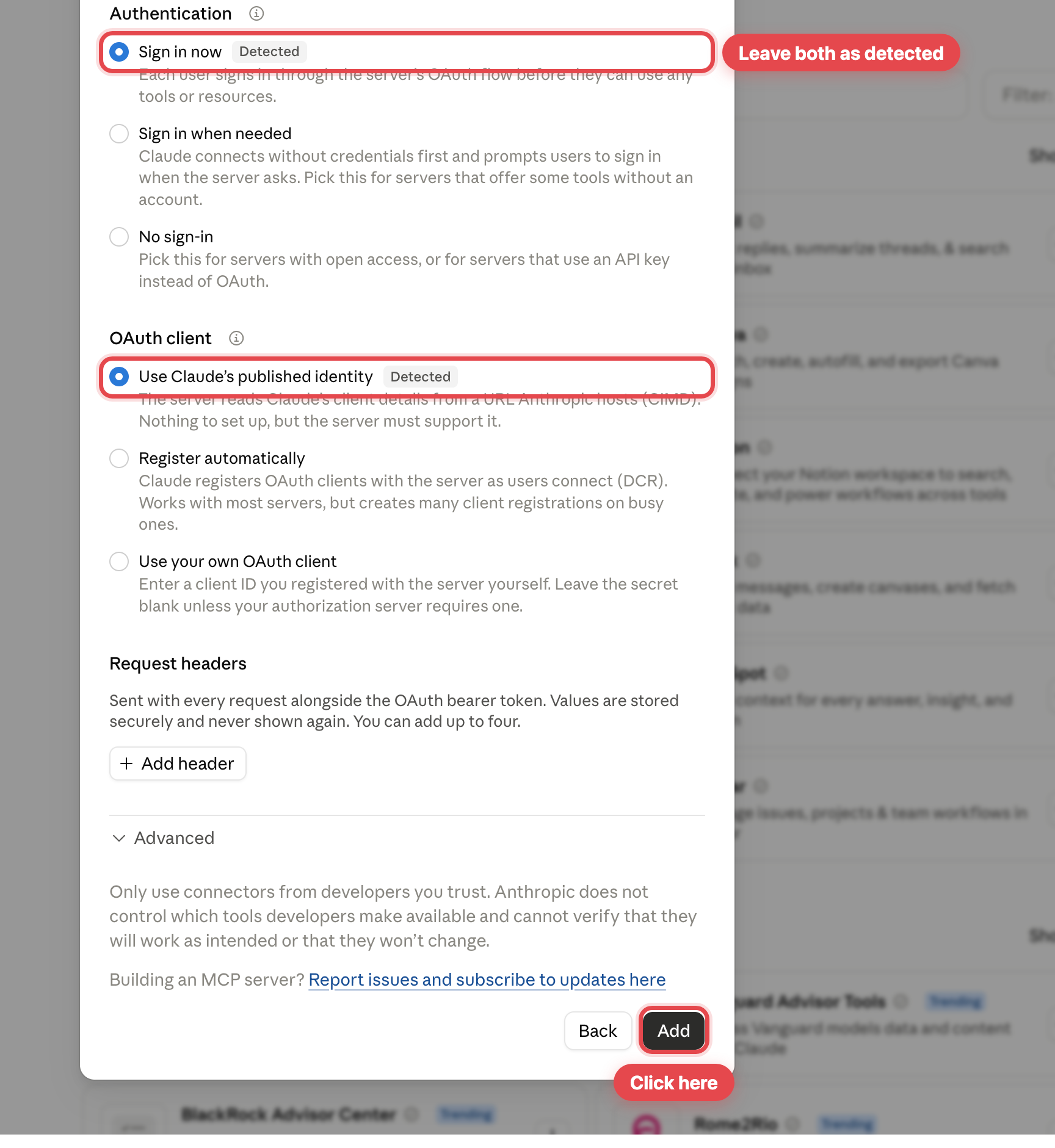 Screenshot 4Claude's detected authentication defaults, ready to add
Choose Connect on the RecoloMind connector.
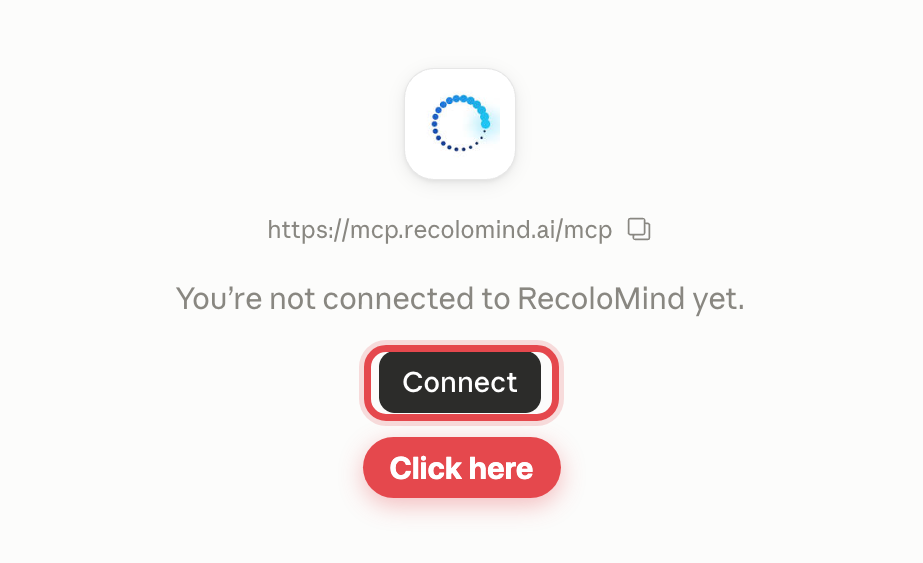 Screenshot 5The RecoloMind connector waiting to be connected
Your browser opens. Choose Continue connecting.
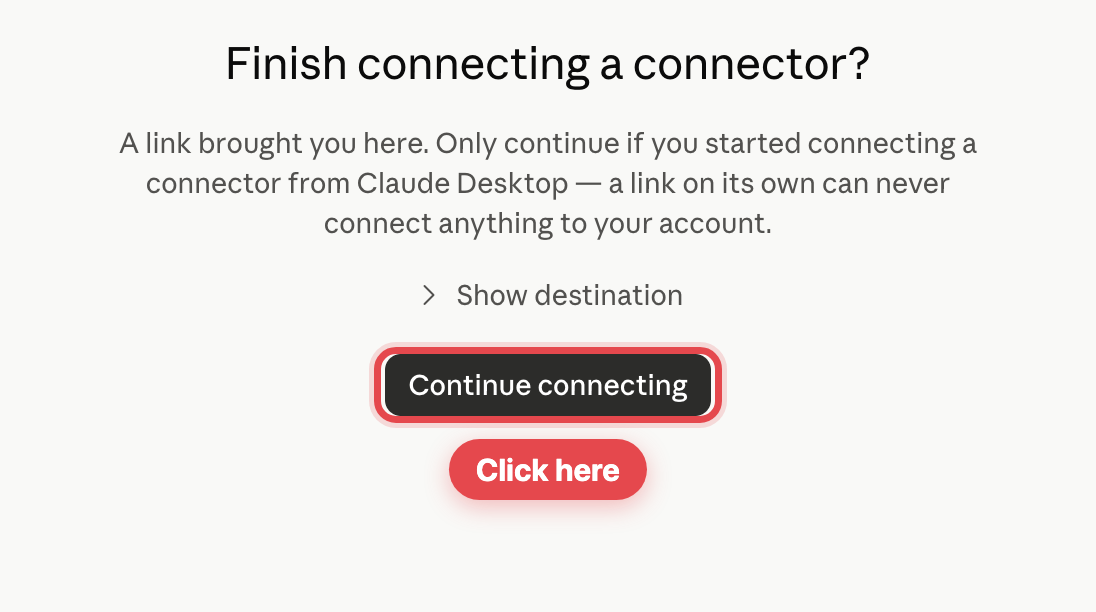 Screenshot 6Claude asking you to finish connecting in the browser
Sign in with your Recolo email and password, check what the app can read, then choose Allow.
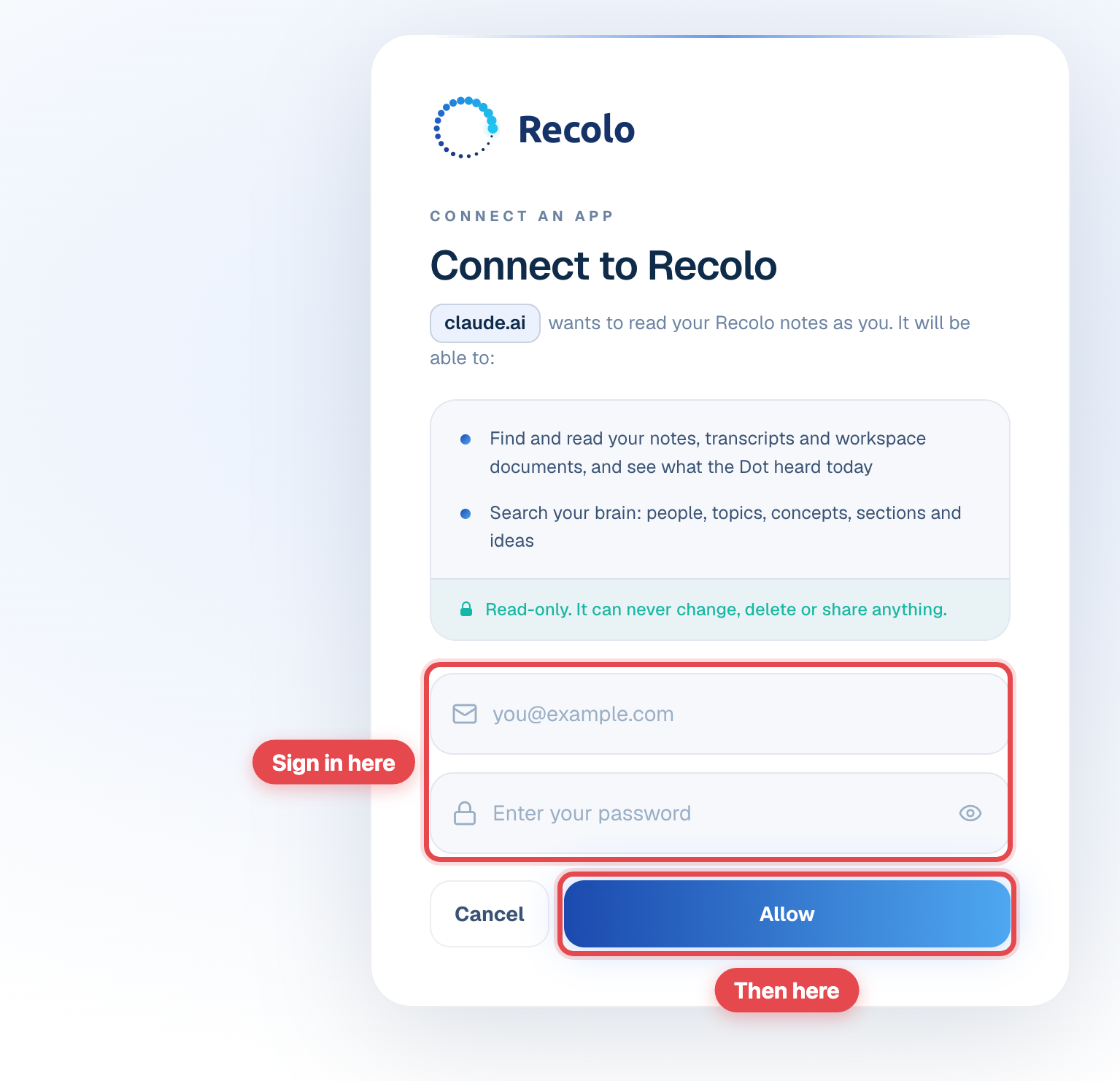 Screenshot 7The Recolo consent page showing claude.ai and read-only access
Set the tools to Always allow so Claude never stops to ask. All sixteen are read-only.
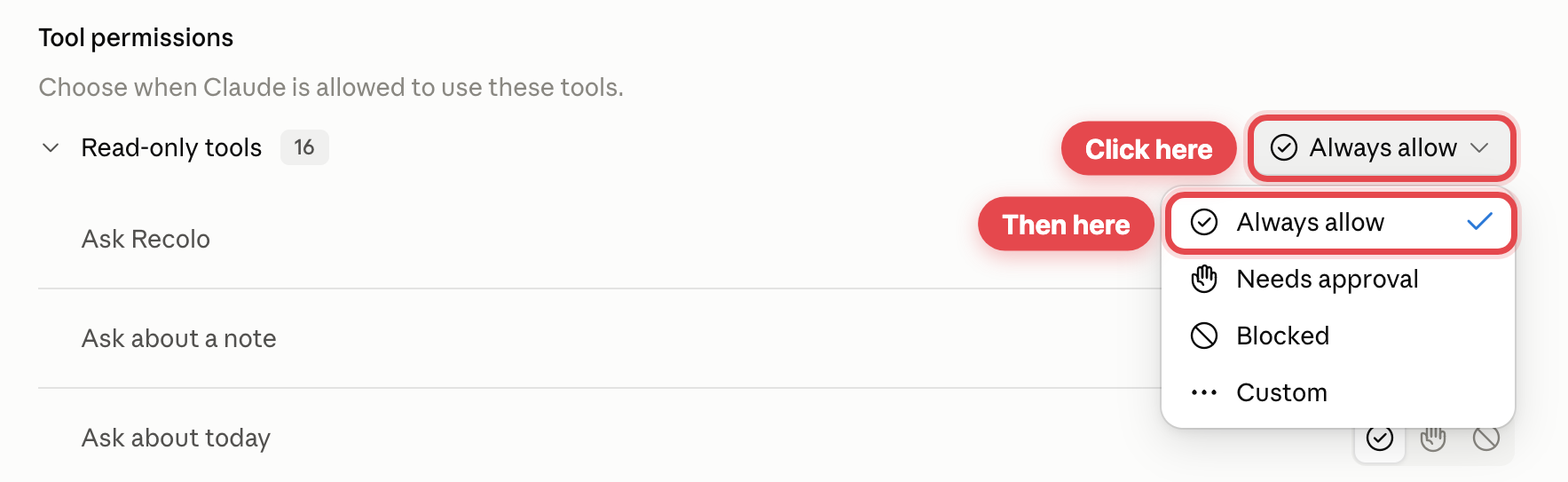 Screenshot 8Setting RecoloMind's read-only tools to Always allow
Once connected
What it can never do
Reading is the only thing the connector can do. That is a rule in the product, not a setting you have to get right.
Privacy and control
Questions
Reading your notes is free. Asking Recolo a question across everything uses your Recolo credits, exactly as it does in the app.
Every Recolo account can connect. The limit is on the assistant side: ChatGPT needs a paid plan with developer mode, while Claude, Claude Code and the MCP clients work on their normal plans.
No. Your assistant reads your notes from Recolo over the network, so both of you need to be online.
Yes. Each assistant gets its own connection, and you can disconnect one without touching the other.
Your connections keep working. They end when you disconnect them from Settings, Connected apps.
Open the dashboard, go to Settings, then Connected apps, and remove the one you want gone.